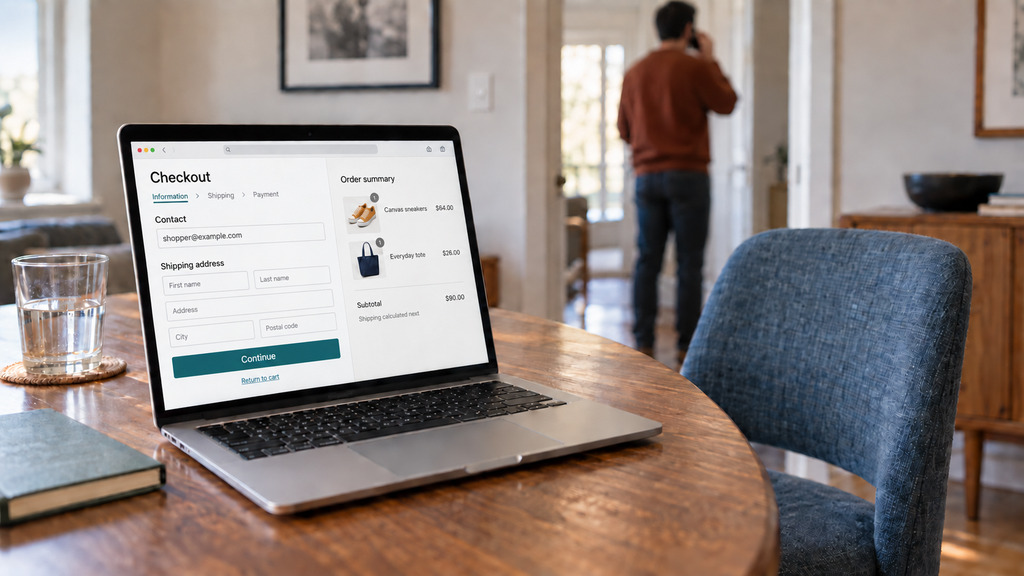
A shopper chooses products, enters an email address at checkout, and then leaves at the shipping or payment step. You have the cart and the email address, but no order. You want to know whether an email could bring that shopper back.
So, do abandoned cart emails work? Yes, for some shoppers. A newsletter needs to give someone a reason to want a product. A cart reminder reaches someone who already chose the products and started buying. The reminder can bring that shopper back to finish the order, but the result depends on why the shopper left.
When abandoned cart emails can help
A reminder needs three things to work: an email address, a shopper who wanted to buy, and a reason for leaving that the email can help with.
You need the shopper's email address
A recovery tool can save an address as soon as a shopper enters it in the checkout email field. You can then contact that shopper even if the shopper leaves later, while choosing shipping or paying.
That's why asking for the email first helps. WooCommerce's block checkout, which new stores get by default, puts the email field first. The older classic checkout asks for the name, address and phone number before the email. A shopper who leaves while entering a delivery address may leave before giving you any way to get in touch.
The shopper needs to have wanted to buy
Entering an email at checkout means the shopper has chosen products and started the purchase. A shopper who only added products to the cart while browsing may still have been deciding whether to buy.
That difference matters because a reminder is more useful when the shopper already intended to place an order. Our guide on cart versus checkout abandonment explains the difference between adding products to a cart and starting checkout.
The email needs to help with the reason for leaving
Some shoppers leave when the delivery cost appears. Those shoppers may accept the cost when they see the order again. Others leave after a card payment fails, or get interrupted and forget to finish.
A reminder gives those shoppers a way to return to the purchase. If a shopper found a lower price elsewhere, though, a reminder doesn't change your price.
If any of these three conditions is missing, a different subject line or send time won't solve the problem.
Choose the timing and the offer separately
Send the reminder while the shopper still remembers the cart
If the email arrives too late, the shopper may have forgotten the cart or bought somewhere else. If the email arrives early, some recipients may have been about to return without a reminder.
For a plain reminder, that early return doesn't cost you a discount. You can send the reminder early, while the shopper still remembers the products.
An offer is different. When someone who would have returned anyway uses a discount code, you give up money without gaining an extra order. Wait to send an offer until most shoppers have had time to return on their own.
Use your own shoppers' return times to choose that delay. Our recovery email timing guide explains how to measure how long shoppers take to come back.
Start without a discount
A discount can help when price was the reason for leaving. But a code in every reminder also reaches shoppers who would have bought at full price. Regular customers can learn to leave a cart and wait for the code.
Start with a plain reminder. If you send an offer later, match the offer to the reason the shopper left. Our guide on abandoned cart discounts explains how to choose an offer.
How to tell whether the emails work in your store
Some shoppers return without an email. A customer might finish checkout ten minutes later, during the same visit, or think about the purchase and return the next morning.
An order placed after a reminder isn't necessarily an order caused by the reminder. To judge what your emails add, first measure how many shoppers return without an email.
Here's an example with made-up numbers:
- 100 shoppers abandon checkout in a month.
- Without recovery emails, 12 of those shoppers would return and buy.
- With recovery emails, 18 of the 100 shoppers return and buy.
In this example, the emails added 6 orders. The other 12 orders would have happened without the emails.
Now suppose every reminder includes a 10% code, and all 18 shoppers use the code. You gained 6 orders, but gave a discount on 18. That includes the 12 shoppers who would have bought anyway. If most of the discounts go to shoppers who didn't need an offer, the discounts can cost more than the extra orders bring in.
Measure returns before you start sending
You can't guess how many shoppers would have returned on their own. In the example, 12 out of 100 returned without an email. That's 12%, which is called the natural return rate.
Measure that rate before you start sending recovery emails. Collect abandoned checkouts for a while with sending off, then count how many of those shoppers return and buy. That gives you a result to compare with the orders placed after you turn the emails on.
Where Tendlio fits
Tendlio is a WooCommerce plugin that does these checks for you. Doing this by hand means following abandoned checkouts, checking whether each shopper has ordered, and deciding when to send a reminder or an offer. You also need to measure returns before sending starts, because otherwise you won't know how many shoppers normally buy without an email.
Measure first, with emails off
Tendlio saves abandoned checkouts while recovery emails are off and measures how long shoppers take to return on their own. You can begin by collecting that information without emailing customers. The return times then give Tendlio a basis for timing the offer around the behavior of your own shoppers.
Tendlio also checks that saving works. If orders come through your checkout but no carts are being saved, the Recover sales page and your to-do list warn you and name the likely cause, such as a caching plugin that blocks Tendlio's script on the checkout page. A test link on the warning lets you check the fix.
A reminder first, an offer later
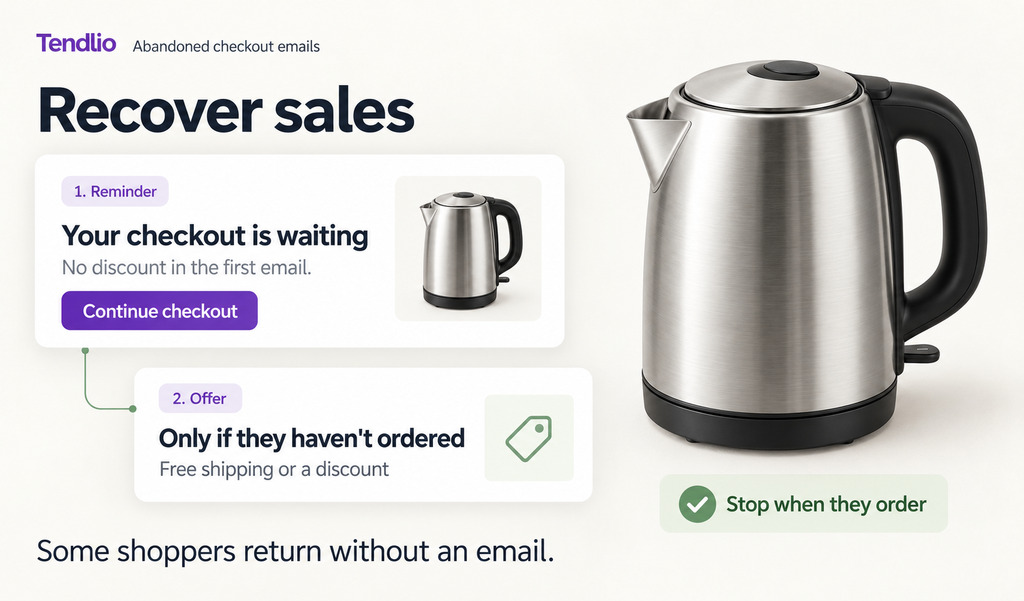
- The first email is a reminder. It's a short reminder about the cart, with no offer, which follows the first rule in this guide: give the shopper a chance to finish the purchase without reducing the price. A customer who only needed a reminder doesn't need to receive a discount at the same time.
- The second email brings the offer. If the shopper still hasn't ordered, the second email brings an offer. Tendlio chooses free shipping or a discount from what was in the cart. The reminder and the offer have separate timing, so sending an early reminder doesn't mean sending an early discount too.
- The offer waits for your shoppers. Once enough shoppers have come back on their own, Tendlio uses their return times to work out when the offer should go out. The offer goes out shortly after most of those shoppers were back. If a shopper places an order before the offer is due, Tendlio doesn't send that offer, which applies the guide's advice to give shoppers time to return without a discount.
Compare the results with returns before sending
The same measurement gives you your natural return rate. Once the emails are running, Tendlio counts orders placed after an email so you can compare those orders with that rate.
You can then review both parts of recovery: the orders that followed an email and the share of shoppers who returned before emails were being sent. That comparison helps you judge the result without treating every order after a reminder as an extra order.
Want your recovery offer timed to how your own shoppers come back? Start your free trial of Tendlio.
FAQ
What's a normal cart abandonment rate?
The Baymard Institute's average across 50 studies is 70.22%. Rates vary by device and by what you sell, so follow the trend in your own store. If abandonment falls after you improve checkout, that change tells you more about your store than another store's rate.
How many recovery emails should I send per cart?
You'll see recommendations for sequences of two or three emails. Each additional email reaches only the shoppers who didn't return after the previous email. Another email can bring orders, but it can also bring unsubscribes.
Tendlio sends at most two emails for an abandoned checkout: a reminder without an offer, followed by an offer only if the shopper still hasn't ordered. A signed-in customer's saved cart receives the reminder only.
The same person never receives two recovery emails within a day. By default, a shopper also receives at most one offer a week, so leaving several carts doesn't produce one discount after another.