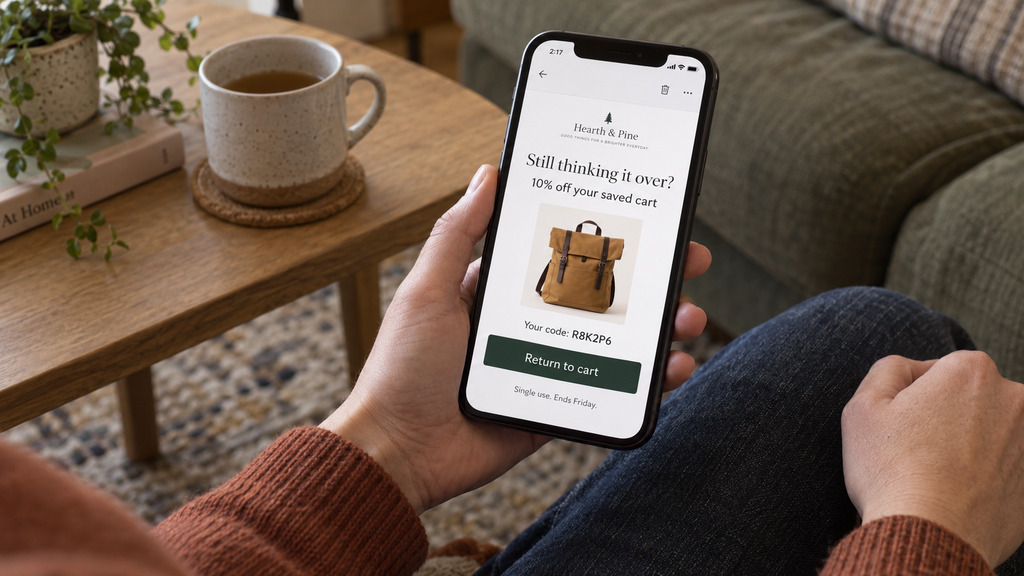
A shopper leaves without paying, and you're about to send a reminder. You could add a coupon, but you don't know whether the price is why they left.
The default abandoned cart discount should be no discount. Start with a plain reminder, because it can recover an order at full price. Offer a discount when cost appears to have stopped the order, and choose an offer that addresses that cost without giving away more than you need to.
What an abandoned cart discount for everyone costs you
If you send 10% off to everyone who leaves a basket, you pay for discounts on more than the orders that need one.
- Some shoppers were going to return anyway. These shoppers get a lower price on an order they would have placed at full price.
- Some shoppers left for a reason a discount doesn't fix. A shopper may have been distracted, unsure about the product, or annoyed by the checkout form. A coupon doesn't solve those problems, but you still pay for the discount if they return and use it.
- Some regular customers learn to wait for a coupon. A customer who sees the offer twice can work out that leaving a cart and waiting a day saves them 10%.
You give discounts to all three groups to persuade the smaller group who left because of the cost. Our guide to whether abandoned cart emails work explains why counting shoppers who would have returned on their own makes recovery results look better than they are. Giving everyone a coupon adds a discount cost to those same orders.
Choose an offer based on why the shopper left
Where a shopper stopped can help you decide whether to offer anything. Our guide to cart versus checkout abandonment explains what you can learn from each. Use that difference when you choose what to send.
A logged-in customer left a cart
A saved cart probably doesn't mean the customer rejected the price. Shoppers can add products over several days, compare their choices, and wait before deciding to buy.
Send a reminder without an offer. Remind the customer which products they chose, so they can return if they still want them. Any order the reminder recovers comes back at full price.
A shopper left checkout after seeing a shipping charge
Offer free shipping. The shopper may have stopped because of the charge, so removing that charge addresses the possible reason they left.
Baymard's checkout research puts extra costs first among the reasons a store can address, at 40%. That ranking leaves out shoppers who were only browsing (42%), and no discount fixes that reason for leaving.
Free shipping also costs you the shipping amount, which is fixed and known. A percentage discount costs part of the basket's price, so the discount gets more expensive as the basket gets larger.
A shopper left checkout when shipping was already free
Shipping cost wasn't the problem, so a free-shipping offer gives the shopper nothing new. If you want to offer a discount, use a small percentage. Decide how small by looking at your profit margin, not what other stores send.
The basket is too small to pay for an offer
Send no offer, whether the shopper left a cart or checkout. The profit on a $12 order can't cover a coupon or free shipping.
Set a minimum basket value for offers. Below that amount, send only the reminder.
Calculate what the discount costs you
A discount reduces your profit, so compare the discount with that profit rather than the order total.
Suppose a $100 basket has a 40% margin, which is $40 of profit. A 10% coupon costs you $10, which is a quarter of that profit. If the margin is 25%, the same coupon takes 40% of the profit.
Free shipping on the $100 basket might cost you $7. In this example, that cost stays at $7 when the basket grows to $200, while a 10% coupon would cost $20. If shipping caused the shopper to leave, free shipping removes that cost, and its price doesn't rise with the order total.
Run the calculation for a typical recovered basket in your own store. Start with the profit on the order, subtract the offer's cost, then multiply the profit left by the number of extra orders the offer persuaded shoppers to place. Use the result to set an upper limit on what you're willing to spend on the offer.
The difficult part is finding how many of those orders the offer caused. A recovery total includes shoppers who would have returned without a discount. Our coupon effectiveness guide explains how to compare results with and without the offer so you can separate those orders.
Make the coupon work only for its recipient
If a recovery coupon works for anyone and never expires, someone can post it publicly and other shoppers can keep using it. A code on a coupon site can then discount orders from people you never sent an offer to.
Make each code single-use, restrict it to the recipient's email address, and give it an expiry measured in days. Someone else can't use a shared code, and the recipient can't keep it indefinitely.
A short expiry also gives the shopper a reason to decide soon. You can say “this code ends Friday” because that's when the code stops working.
How Tendlio helps you recover orders without discounting every cart
Tendlio is a WooCommerce plugin that does these checks for you. Doing this by hand means checking where each shopper stopped, which shipping charge they saw, and whether they've since ordered. You then need to work out how much profit you can spend on an offer, create a coupon, and send it to the right person. Repeat that for every saved basket, and even a reminder followed by an offer takes work to manage.
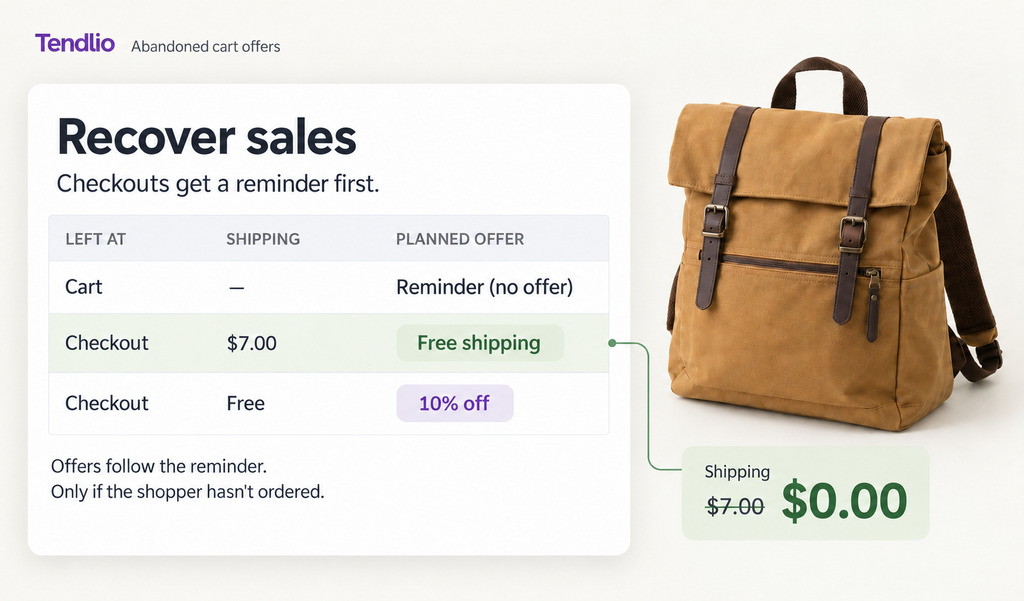
The approach in this guide, on the Recover sales page
- Carts get a reminder only. A customer who leaves a cart gets a reminder without a discount.
- Checkouts get a reminder first. A shopper who leaves checkout gets a plain reminder first, too. The offer comes in a second email only if the shopper still hasn't ordered, which gives the shopper time to return and pay full price before an offer goes out.
- The offer matches what stopped the order. When a shipping charge may have stopped the order, Tendlio checks whether your store can honor a free-shipping coupon before choosing that offer. If shipping was already free, Tendlio uses the percentage you've chosen.
Each saved basket shows the planned offer, so you can see whether the shopper would receive free shipping, a percentage discount, or “Reminder (no offer).”
You set the limits
- A minimum basket. You can set a minimum basket value, and a shopper below it gets only the reminder.
- Your percentage. You choose the percentage yourself, so Tendlio doesn't decide how much of your profit to give away. Use the margin calculation above to choose an amount you can afford. Tendlio then uses your choices when it decides what to send.
- How often one shopper gets an offer. By default, a shopper gets at most one offer email a week, even after leaving several checkouts, so regular customers don't learn to leave a cart and wait for a code. You can change the number of days.
Coupons that work only for one shopper
- One code per shopper. Tendlio creates a single-use code tied to that shopper's email address, includes its expiry date in the email, and prevents the shopper from combining it with another code. A percentage code doesn't apply to products that are already on sale, so the offer doesn't lower a price you've already reduced. You don't have to create and restrict each coupon yourself.
- Your words. You write the offer in your own words, and Tendlio includes the coupon code even if you leave it out of your text.
- No email after a purchase. Tendlio doesn't email someone who has already bought. If the offer email fails to send, Tendlio cancels the coupon, so you don't have to find and cancel the unused code yourself.
Want your discounts aimed at the friction that stopped the order? Start your free trial of Tendlio.
FAQ
Should every abandoned cart email include a discount?
No. A reminder can recover an order at full price, because it shows the shopper products they already chose. Reserve offers for abandoned checkouts where cost may have stopped the shopper, and send only reminders for carts.
What discount percentage works best for abandoned carts?
There's no percentage that works for every store. Decide how much of the profit on a typical recovered basket you're willing to spend on the discount, because even 10% off can take too much of the profit when your margin is small.
Won't people abandon carts on purpose to farm coupons?
Some will try once they know about the offer. Send no offers for carts left before checkout, make each code single-use, tied to one email address and with an expiry, require a minimum basket value, and limit how often the same person can receive an offer.
Is free shipping better than a percentage off?
Yes, when a shipping charge is what stopped the order. Free shipping removes that charge and costs you a fixed amount. When shipping was already free, use a small percentage if you offer a discount. Match the offer to the cost the shopper faced, rather than sending the same discount to everyone.